How to Use Google Maps in China (2026): Does It Work? What to Use Instead + eSIM Option

Last updated: January 28, 2026
If you’re searching “How to Use Google Maps in China”, you’re probably not planning a tech experiment—you just want directions to work when you step outside the airport.
Here’s the practical reality, plus the map apps that make getting around China much easier.
Quick answer (read this first)
In mainland China, Google Maps is often unreliable on local Wi-Fi and local SIM networks.
Sometimes it won’t load. Sometimes it loads but feels incomplete. And sometimes the map and your location don’t line up the way you’re used to.
If you’re going to China with only Google Maps and no backup, you’re making your trip harder than it needs to be.
TL;DR: what to do instead
- Best “just works” choice (iPhone): Apple Maps
- Best local coverage (iPhone/Android): AMap / Gaode (AMap Global has an English experience)
- If you want Google Maps mainly for saved lists: use a connectivity option that can reach Google services more consistently (roaming or a China travel eSIM designed for international access)
Does Google Maps work in China?
In mainland China, Google services are widely restricted on local networks, so Google Maps often doesn’t work normally.
Even when you can open the app, live data and search results can be inconsistent.
Also: China uses a different mapping coordinate system for public map services (GCJ-02). That’s one reason travelers sometimes notice “my pin looks shifted” or “the route overlay feels off” compared to what they expect.
Mainland China note: Hong Kong and Macau typically don’t have the same network restrictions as the mainland. If your trip includes those regions, your experience can be different.
Why Google Maps can feel “off” in China (even when it opens)
Most travelers run into one or more of these:
- The app loads slowly, partially, or not at all on local networks
- Search results for local businesses are missing or inconsistent
- Pins/paths can feel “shifted” because of the China coordinate system difference (GCJ-02 vs WGS-84)
This is why frequent China travelers often treat Google Maps as a planning tool (saved lists, quick reference) rather than the primary app for navigation.
What map to use in China instead (the two apps travelers rely on)
If you’re wondering “what maps should I use in China?” this is the simplest answer: Apple Maps (iPhone) or AMap (everyone).
At a glance: which map app should you use?
| App | Best for | Works on local networks in mainland China | English-friendly | What to know |
|---|---|---|---|---|
| Apple Maps | Day-to-day navigation on iPhone | ✅ Yes | ✅ Yes | Good default option for travelers; uses local mapping services in China. |
| AMap / Gaode (AMap Global) | Best POI coverage + China-specific routing | ✅ Yes | ✅ Mostly | AMap Global is the English-oriented option. Some features may vary by device/region. |
| Google Maps | Saved places / lists / familiar UI | ⚠️ Often unreliable | ✅ Yes | Great for planning when reachable; don’t rely on it as your only map. |
1) Apple Maps (best “it just works” option on iPhone)
For iPhone users, Apple Maps is usually the easiest day-to-day solution in mainland China. It’s the app most travelers end up using for “get me from A to B” without fuss.
Use it for: walking directions, driving routes, basic POI lookup, getting to hotels, stations, malls.
2) AMap / Gaode Maps (best local coverage — and there’s an English version)
If you want the local heavyweight, it’s AMap (Gaode).
Good news: AMap Global is the English-oriented version available in major app stores:
- iOS: App Store
- Android: Google Play
Use it for: better POI coverage, smoother China-specific routing, and “last mile” navigation.
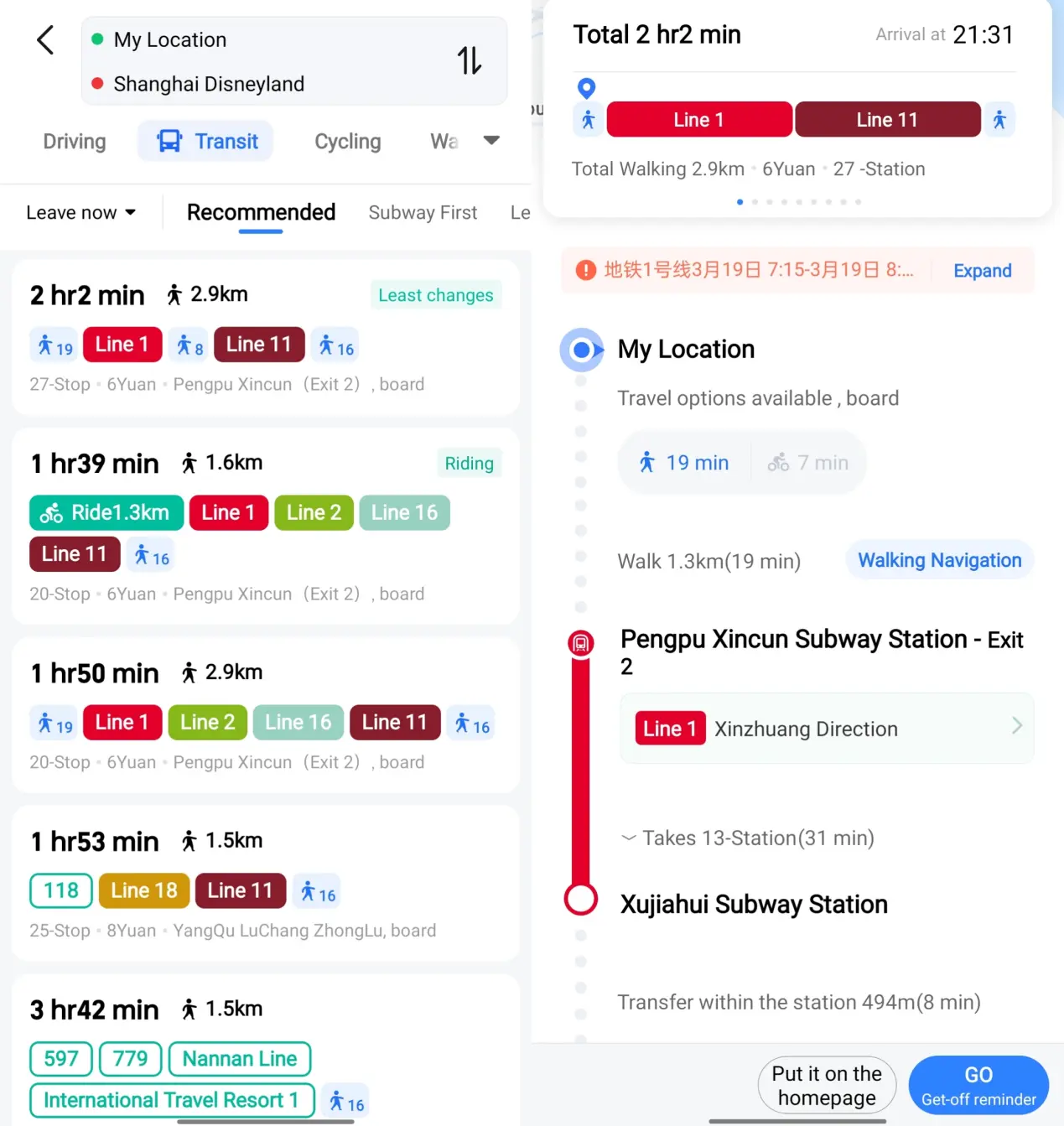
Quick tip that saves time: Keep your hotel name + address in Chinese characters somewhere you can copy/paste (booking confirmation, Notes app, screenshot). Map searches and ride-hailing pickup points are much easier with Chinese text than romanized spellings.
Small heads-up: on some devices/regions, AMap Global may ask for a login or phone number, and a few features can differ from the Chinese version. That’s exactly why it’s worth having Apple Maps as a backup if you’re on iPhone.
Can you use Google Maps in China with an eSIM?
Sometimes—depending on how your connection is routed.
The key point is this: Google services are the part that tends to break on local networks.
So if you still want Google Maps (mostly for saved places, lists, and Google account sync), your best options are:
Option A: International roaming (works sometimes, often expensive)
Roaming can route traffic differently than local networks. It may help, but costs can add up fast.
Option B: A China travel eSIM designed for international access (recommended for most travelers)
Some travel eSIMs for China are designed for visitors and can provide data with routing that helps many international apps stay reachable without installing separate VPN apps. Results can vary by location and network conditions, and you should always follow local laws and provider terms.
Want to keep using Google apps in China?
Get a Roamiya China eSIM to keep accessing Google Maps, Gmail, and Instagram without dealing with VPN apps.
How to set up your phone (so you’re not troubleshooting on day 1)
Before you fly (do this while your internet is normal)
- Install Apple Maps (iPhone) and AMap (everyone—especially Android)
- Save key places in two formats:
- a pinned location
- the Chinese address (copy/paste ready)
- If you’re using a travel eSIM: install it before departure and keep the QR/activation email handy.
On arrival
- Use Apple Maps / AMap as your primary navigation
- Use Google Maps mainly for saved lists and reference (when reachable)
- If you bought a China eSIM for international access:
- Set the eSIM as your Mobile Data line
- Keep your home SIM roaming OFF (learn how) unless you intentionally want roaming charges
If Google Maps won’t load in China (quick fixes that actually help)
If you open Google Maps and it’s stuck loading (or results won’t appear), try this order:
- Switch your connection
- If you’re on hotel Wi-Fi, try mobile data (or the other way around).
- Confirm which SIM/eSIM is used for data
- Make sure your intended data line is selected (especially if you have dual SIM).
- Toggle Airplane mode
- Airplane mode ON for 10 seconds → OFF.
- Disable “automatic data switching”
- Some phones switch data back to your home SIM when signal fluctuates.
- Use your backup map app immediately
- If you’re already outside, don’t waste time: open Apple Maps or AMap and keep moving.
And one prevention tip that’s worth doing before you arrive:
- Download offline maps (Google Maps) for your first city/hotel area while you still have normal internet.
Offline maps won’t give live traffic perfectly, but they’re useful as a backup when connectivity is flaky.
A simple “maps stack” that works for most trips
- Apple Maps (iPhone) or AMap (Android) → actual navigation
- Google Maps → saved places / planning (when reachable)
- A screenshot of your hotel name + address in Chinese → taxi / pickup lifesaver
FAQ: How to use Google Maps in China
Does Google Maps work in China without VPN?
In mainland China, Google services are widely restricted on local networks, so Google Maps is often unreliable. Most travelers use Apple Maps or AMap for navigation and rely on roaming or specialized travel connectivity if they need Google services consistently.
What’s the best map app in China for tourists?
- iPhone: Apple Maps (English-friendly; uses local mapping services in China)
- Android: AMap / Gaode (AMap Global offers an English experience)
Why do locations sometimes feel “shifted” in China?
Public map services in mainland China use GCJ-02, while many global systems use WGS-84. That difference can cause offsets when layers or coordinates don’t match.
Final recommendation
If you want maps that simply work in China: Apple Maps or AMap.
If you specifically want to keep using Google Maps (saved places) and also access apps like Gmail/Instagram without installing VPN apps, a Roamiya China eSIM is the cleanest travel setup.
Get a Roamiya China eSIM to keep accessing Google Maps, Gmail, and Instagram without dealing with VPN apps.

